§ 2.4 — The Standard Team Practices
Pull Requests
When developers have completed their work, they can create a pull request with the main repository, which lets the project maintainer know that an update is ready to be integrated. The Pull Request (PR) can be created with the name using this syntax [CATEGORY]: [Description Of Work Completed], where the category is always in CAPS and the description in Pascal Case e.g. FOUNDATIONS: Add Student
The comment section of the PR can also be completed with any additional information that describe the work done and that can be helpful / relevant to the approver. e.g. a screenshots of the CONTROLLER actions working as expected showing the various response outcomes like 201 - Created or 400 - Bad Request or 424 - Failed Dependency etc.
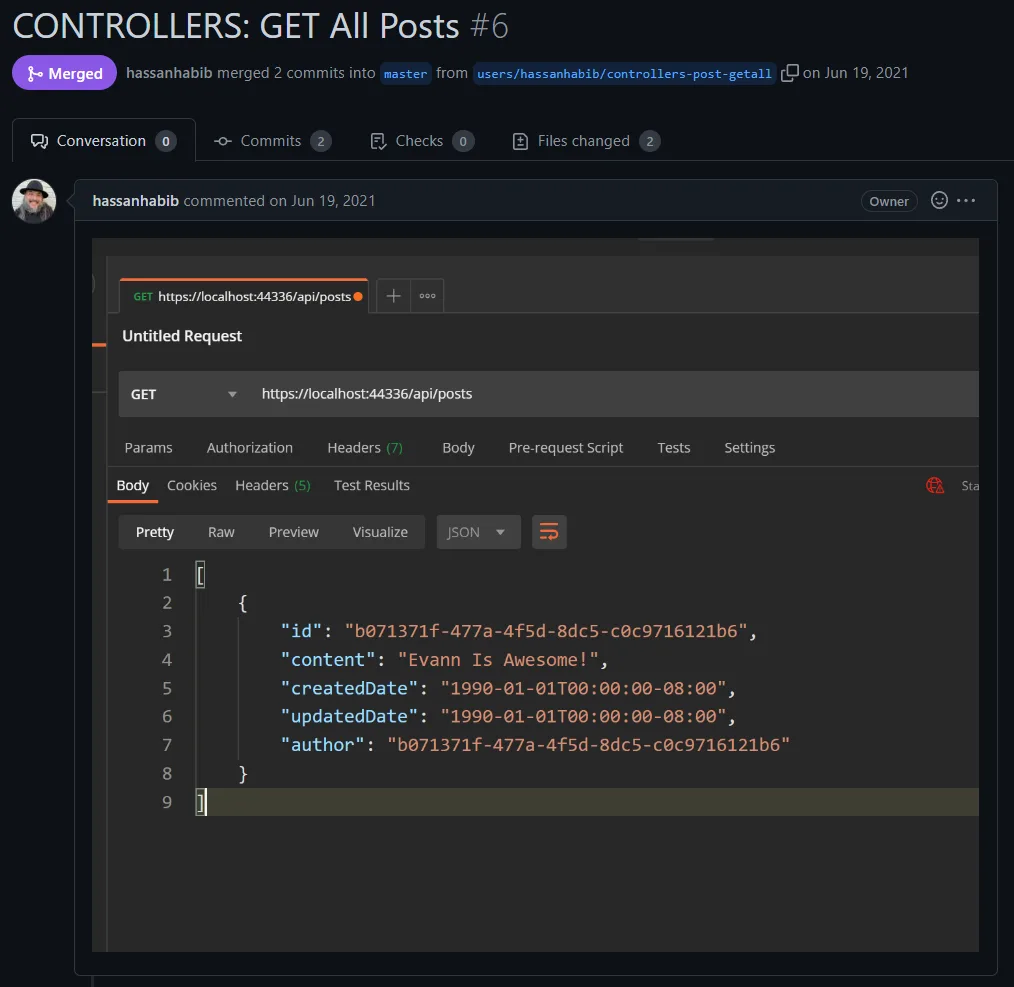
You can also link a pull request to an issue to show that a fix is in progress and to automatically close the issue when the pull request or branch is merged by adding a KEYWORD #ISSUE-NUMBER anywhere in the comment section. e.g. Closes #10 or if the PR cover multiple things, then you could do Closes #10, closes #123
If you simply wish to link an issue without a closing action on merge, you can omit the keyword and just add #ISSUE-NUMBER e.g. #10
This chapter lives on GitHub, where it is written in the open. Read the source or suggest a change.