§ 9 — C#: From Scratch
Classes & Objects (Object Oriented Programming)
Okay, let’s take a look at everything you have learned so far.
If statements, switch cases, for-loops and the other types of iteration, and functions(or methods).
Now it’s time to put some of these ideas together. How can we put all these concepts into action?
Back in chapter 1 we talked about visualization. We discussed how you want to visualize something in real life, then bring that as a model to your program to solve a real-life problem.
Visualization is the number one thing you want to care about as an engineer. Do not worry too much about the technology or the code that you’re using.
You are learning C# because it’s an amazing language, but its purpose is to help you solve real-life problems. Focus on “How can I capture something in the world, visualize that, and translate that into code?”
It happens in the same way as when you take a picture of something and put it on Instagram or Facebook. We are taking a picture of something in the real world, and we are putting it as code and software so that we can solve problems more effectively.
Now, it’s time to put everything you have learned into action. Let’s visualize a human being. You want to represent people and their actions. An example we can use would be people at a coffee shop.
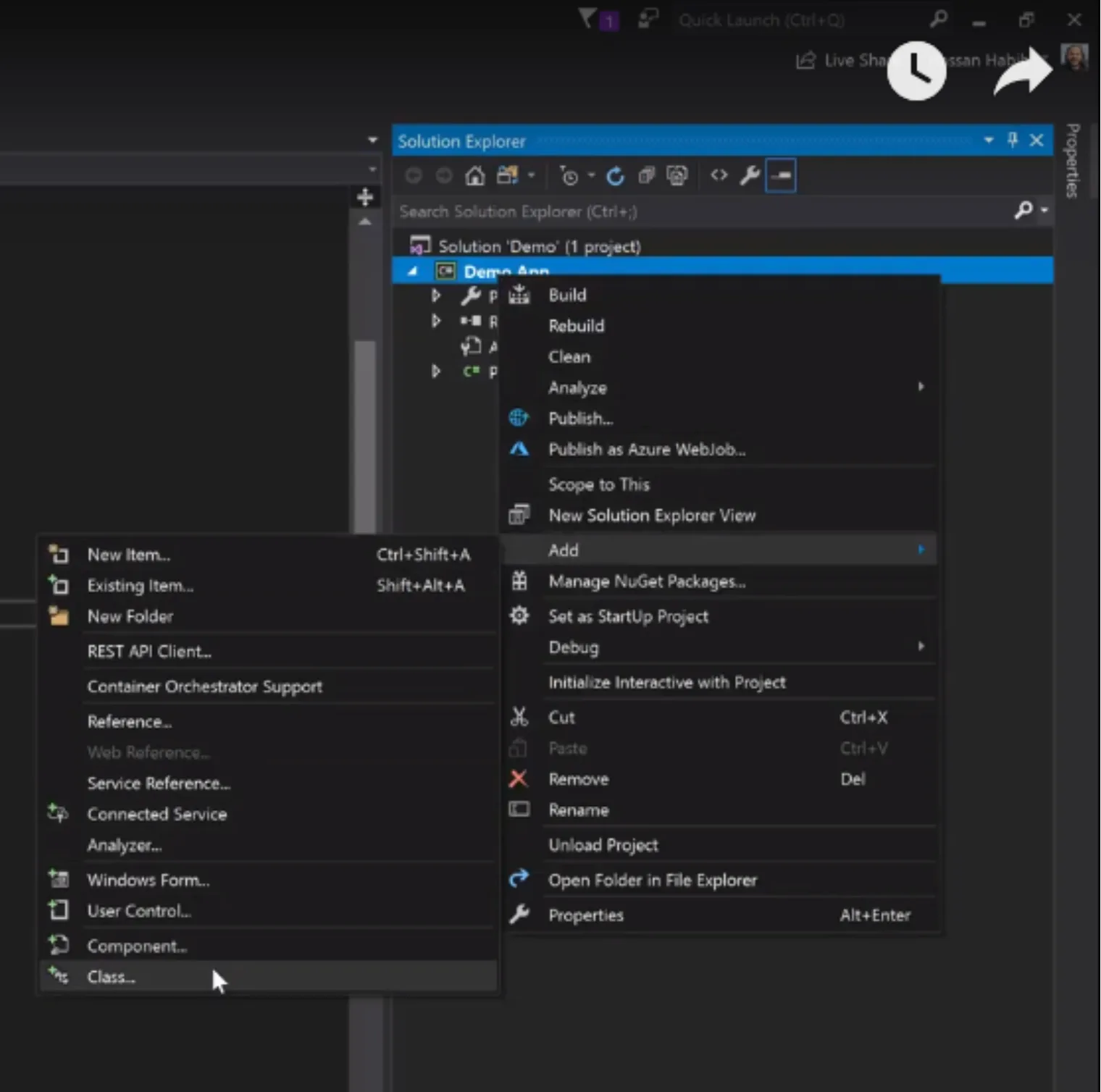
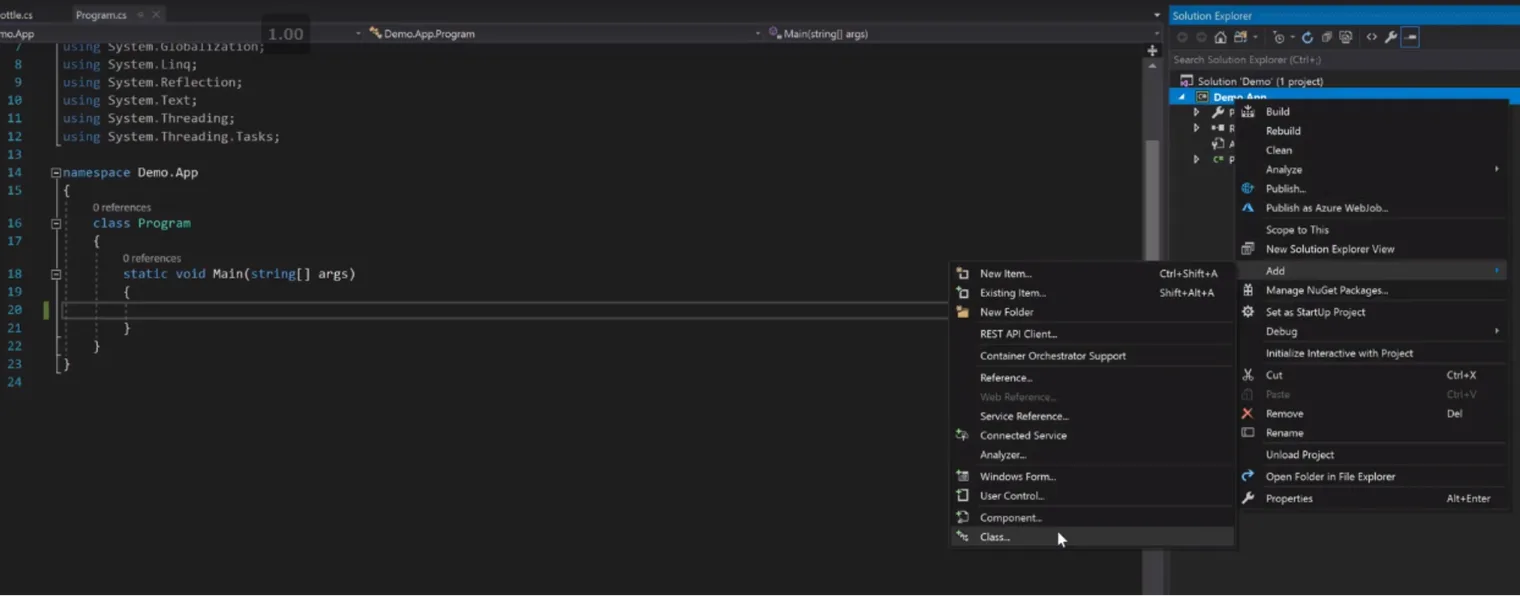
If you’re going to visualize a human being, you’ll need to learn about something called classes. Go ahead and build a new class from the right-hand pane.
using System.Globalization;
using System.Linq;
using System.Reflection;
using System.Text;
using System.Threading;
using System.Threading.Tasks;

namespace Demo.App
{
    class Program
    {
        static void Main(string[] args)
        {

        }
    }
}
Classes are something that generally encapsulate the type of the thing that you’re trying to represent in the real world.
In our case we’re just building a human model(human class). Classes and models are the same concept. Type ‘Human’ for your name.
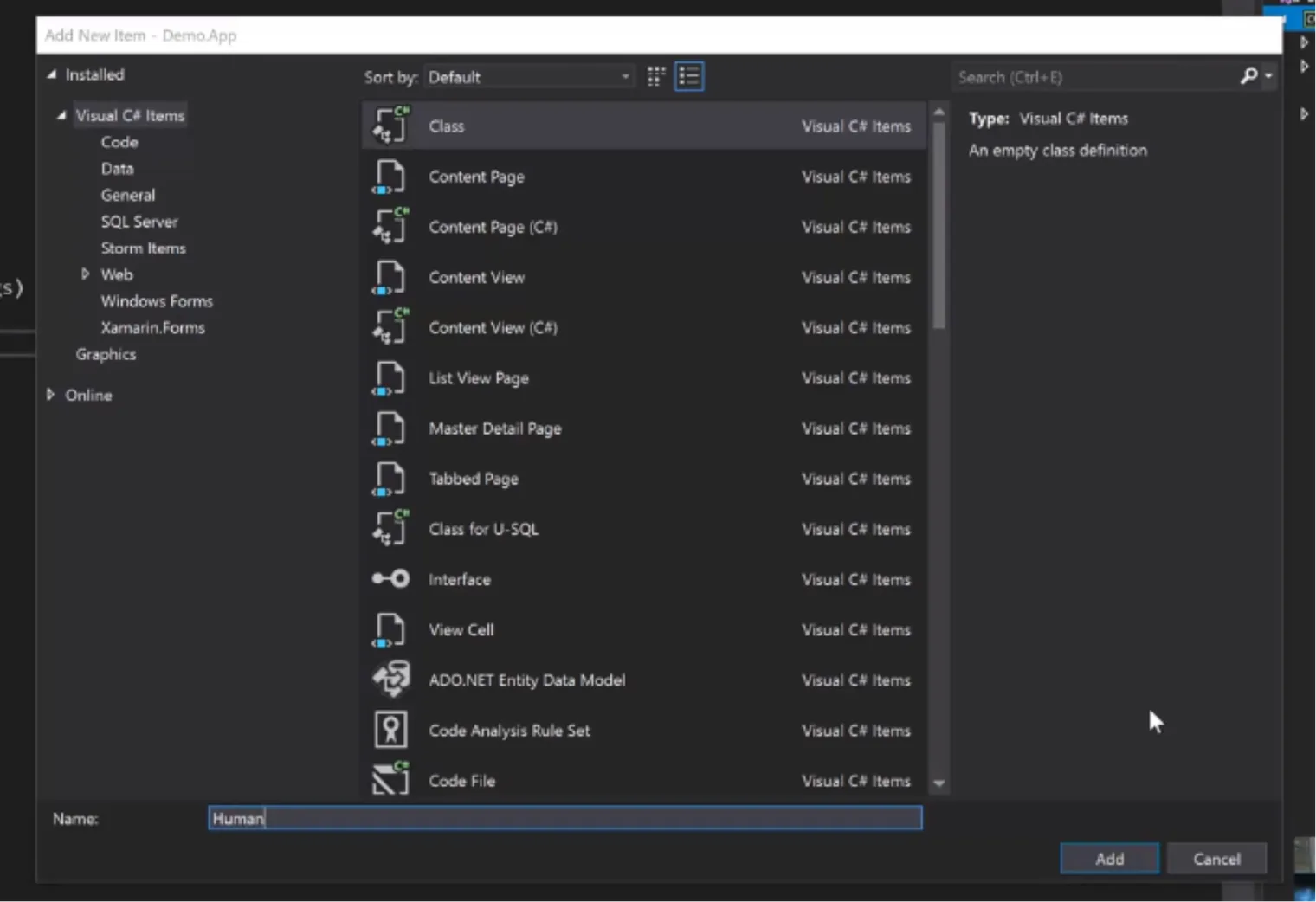
We are building a human - what does a human have? They have properties - such as a name or a date of birth.
using System;
using System.Collections.Generic;
using System.Linq;
using System.Text;
using System.Threading.Tasks;

namespace Demo.App
{
    class Human
    {
        public int MyProperty { get; set; }
    }
}
using System;
using System.Collections.Generic;
using System.Linq;
using System.Text;
using System.Threading.Tasks;
namespace Demo.App
{
class Human
{
}
}public String Name {get; set;}
public DateTime DateOfBirth{get; set;}You will see here again us using get; set; is a way for us to indicate that we can retrieve or get the value of the class members and set them.
using System.Linq;
using System.Text;
using System.Threading.Tasks;

namespace Demo.App
{
    class Human
    {
        public String Name { get; set; }
        public DateTime DateOfBirth { get; set; }

    }
}
But humans also have actions, such as eating, drinking, swimming …etc.
We define these actions as methods, these methods can manipulate existing class properties such as scratching one their own head, or affect other properties of other classes, such as drinking coffee is it’s own class, and human object is consuming that coffee by Drink(Coffee) method or actions.
If we’re talking about a coffee shop, all we care about is an action that is related to that. Let’s say ordering a coffee.
OrderCofee() is a method, and this method will do something. It builds something and it does something. In this case, ordering a coffee.
using System.Text;
using System.Threading.Tasks;

namespace Demo.App
{
    class Human
    {
        public String Name { get; set; }
        public DateTime DateOfBirth { get; set; }

        public void OrderCofee()
        {

        }
    }
}
using System.Text;
using System.Threading.Tasks;
namespace Demo.App
{
class Human
{
public String Name { get; set; }
public DateTime DateOfBirth { get; set; }
public void OrderCofee(string coffeeType)
{
}
}
}Ordering coffee means that you’re going to pass in, for instance, what kind of coffee you want. Let’s call it coffeeType.
public void OrderCofee(string coffeeType)Let’s switch gears for a second and discuss enums.
        public void OrderCofee(string coffeeType)
        {

        }

        enum CoffeeType
        {
            Mocha,
            Espresso
        }
    }
}
Enums allow you to put a restriction on the text that your user can and cannot pass. In our case, Mocha and Espresso.
So the coffee type I put in here can be mocha or it can be espresso. So instead of a string we will pass a CoffeeType.
public void OrderCofee(CoffeeType coffeeType)So what does this code mean?
We have defined strictly a bunch of types for coffee in an enum type. And we used that type to define what OrderCoffee method can and cannot order.
In our case here, since you can only pass a value of CoffeeType, this human can only order the types defined in the CoffeeType enum, such as Mocha and Espresso.
        public String Name { get; set; }
        public DateTime DateOfBirth { get; set; }

        public void OrderCofee(CoffeeType coffeeType)
        {

        }

        enum CoffeeType
        {
            Mocha,
            Espresso
        }
    }
We have used enums to put a restriction on the text the user can or cannot pass. They can only pass Mocha or Espresso. Now these are the only 2 types of coffee he can order.
You might ask, what is void? Why did we change it to Coffee?
        public String Name { get; set; }
        public DateTime DateOfBirth { get; set; }

        public Coffee OrderCofee(CoffeeType coffeeType)
        {

        }

        enum CoffeeType
        {
            Mocha,
            Espresso
        }
    }
public void OrderCofee(CoffeeType coffeeType)Changes to…
public Coffee OrderCofee(CoffeeType coffeeType)Void means the method is going to return nothing, it will run whatever action it has and then return nothing, we can only observe the side-effects of that method to whichever variables it’s consuming.
We changed the return type to ‘Coffee’ to get the object of coffee that human is ordering, since we defined the type, now we can go take that type and build a coffee object of which the human would likes to consume.
Now, a little explanation of what is happening with our code in this image.
public Coffee OrderCofee(CoffeeType coffeeType)
{

}

enum CoffeeType
{
Mocha,
Espresso
}
A guy is going to order a Coffee, by requesting which type Coffee he wants(CoffeeType). And the two types he could order are Mocha or Espresso.
The lowercase coffee type(coffeeType) here is a placeholder for whatever is going to be passed by the consumers of this method.
Let’s go build another object. We see how the code is starting to fan out. You’re ordering coffee but what you’re ordering is returning something.
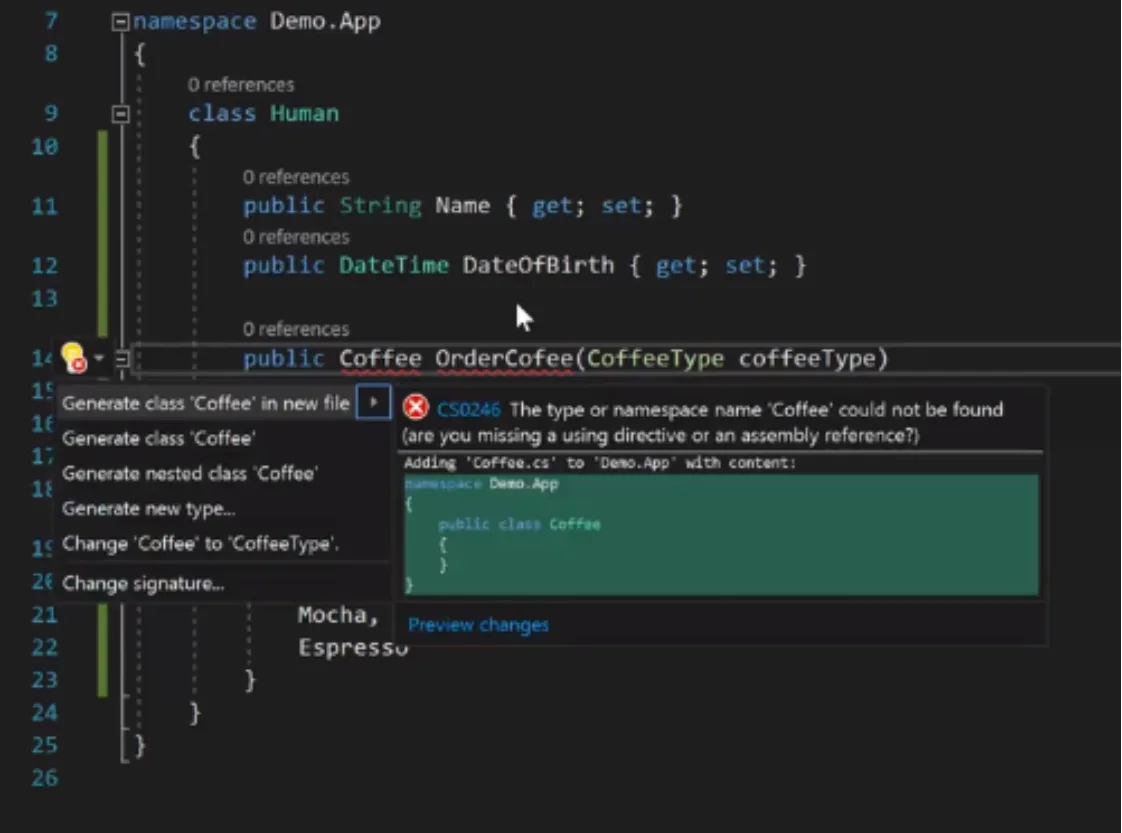
Since we haven’t really defined a class of Type Coffee, the IDE(integrated development environment) will throw an error and suggest defining a new class Coffee.
namespace Demo.App
{
    class Human
    {
        public String Name { get; set; }
        public DateTime DateOfBirth { get; set; }

        public Coffee OrderCofee(CoffeeType coffeeType)
Let’s build a new class in here with ctrl+period.
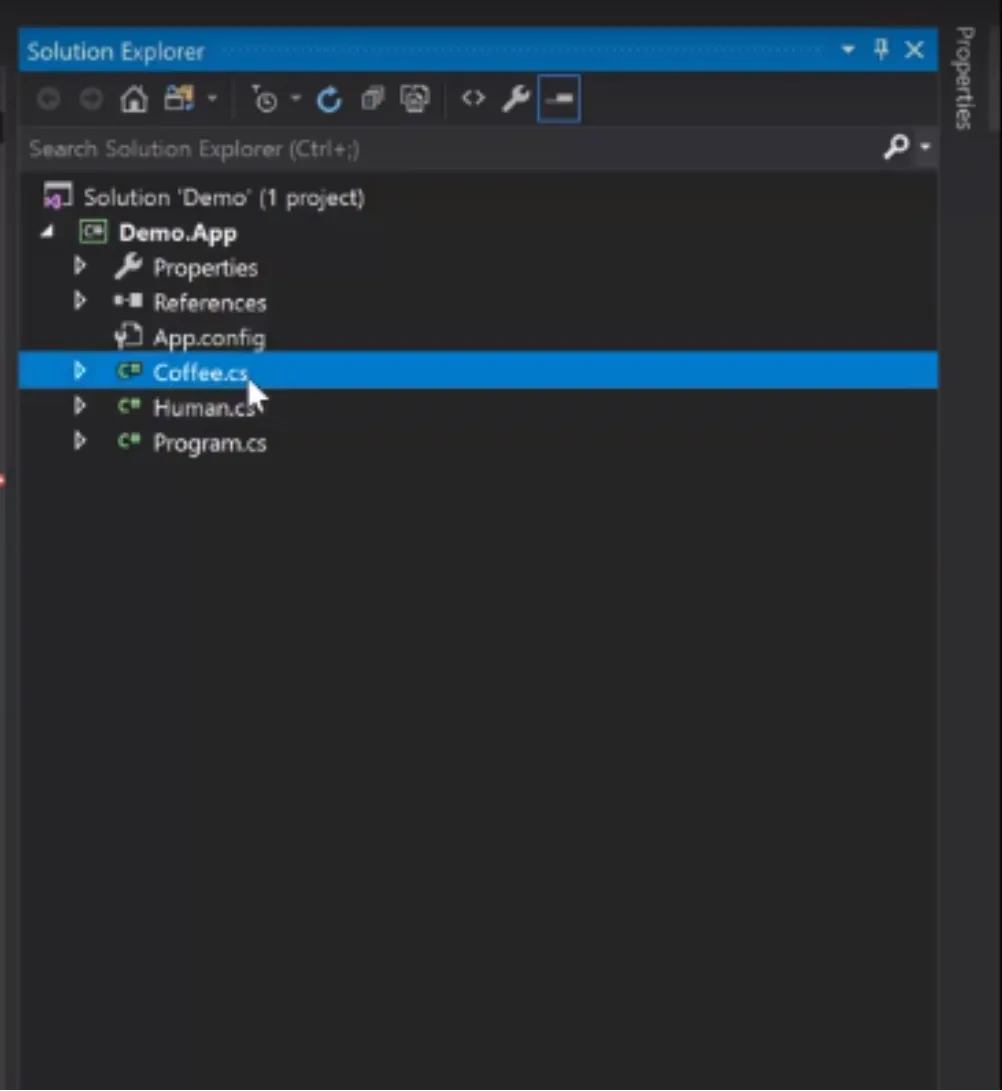
Let’s generate a new class. Access it from the right side menu as shown to the right.
namespace Demo.App
{
    public class Coffee
    {
    }
}
So we have public class Coffee.
Let’s say our coffee has a name, represented by a string, and a size represented by an integer.
namespace Demo.App
{
    public class Coffee
    {
        public string Name { get; set; }
        public int Size { get; set; }
    }
}
public string Name {get; set; }
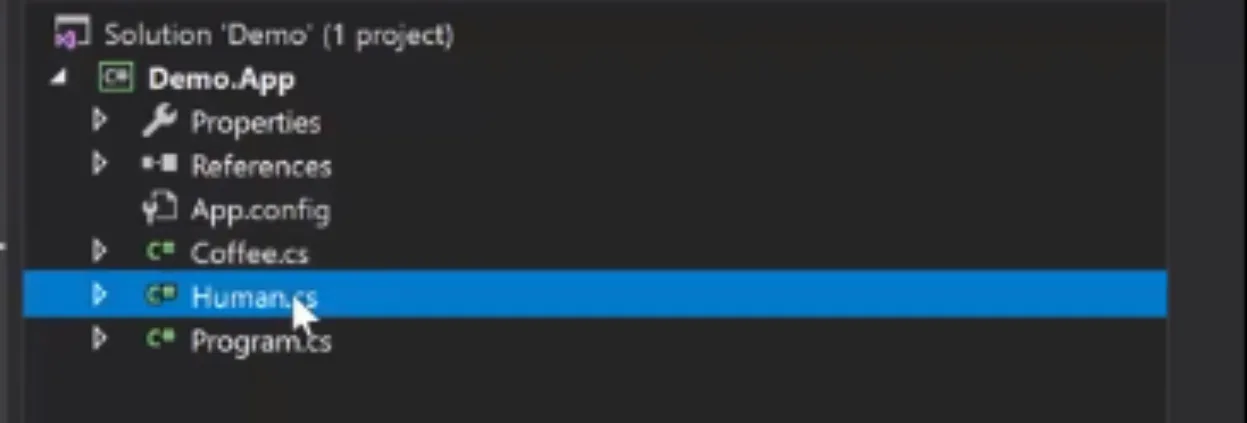
public int Size {get; set; }Now let’s return to our human object. Find the Human.cs option in the right-hand pane.
You can see from the color switch from white to green that Coffee is now a class.
using System.Text;
using System.Threading.Tasks;

namespace Demo.App
{
    class Human
    {
        public String Name { get; set; }
        public DateTime DateOfBirth { get; set; }

        public Coffee OrderCofee(CoffeeType coffeeType)
        {
            switch (coffeeType)
            {
                case CoffeeType.Mocha:
                    return new Coffee();
            }
        }

        enum CoffeeType
        {
            Mocha,
            Espresso
        }
    }
}
Okay, we’re returning coffee,
return new Coffee();. Based on the coffee type, CoffeeType, this is how we are building our coffee.
When someone orders a coffee, we are going to give them either a mocha or espresso
If it’s mocha, then,
case CoffeeType.Mocha:
return new Coffee();
If it’s espresso, then,
        public Coffee OrderCofee(CoffeeType coffeeType)
        {
            switch (coffeeType)
            {
                case CoffeeType.Mocha:
                    return new Coffee();
                case CoffeeType.Espresso:
                    return new Coffee();
                default:
                    return null;
            }
        }
case CoffeeType.Espresso:
return new Coffee();If it’s neither, then we use a default case like you learned in switch cases.
default:
return null;Null in this case simply means you didn’t order anything.
Do you see how I am visualizing this with you? We are visualizing the idea: How can I put something into perspective? And how can I simulate something that happens in the real world?
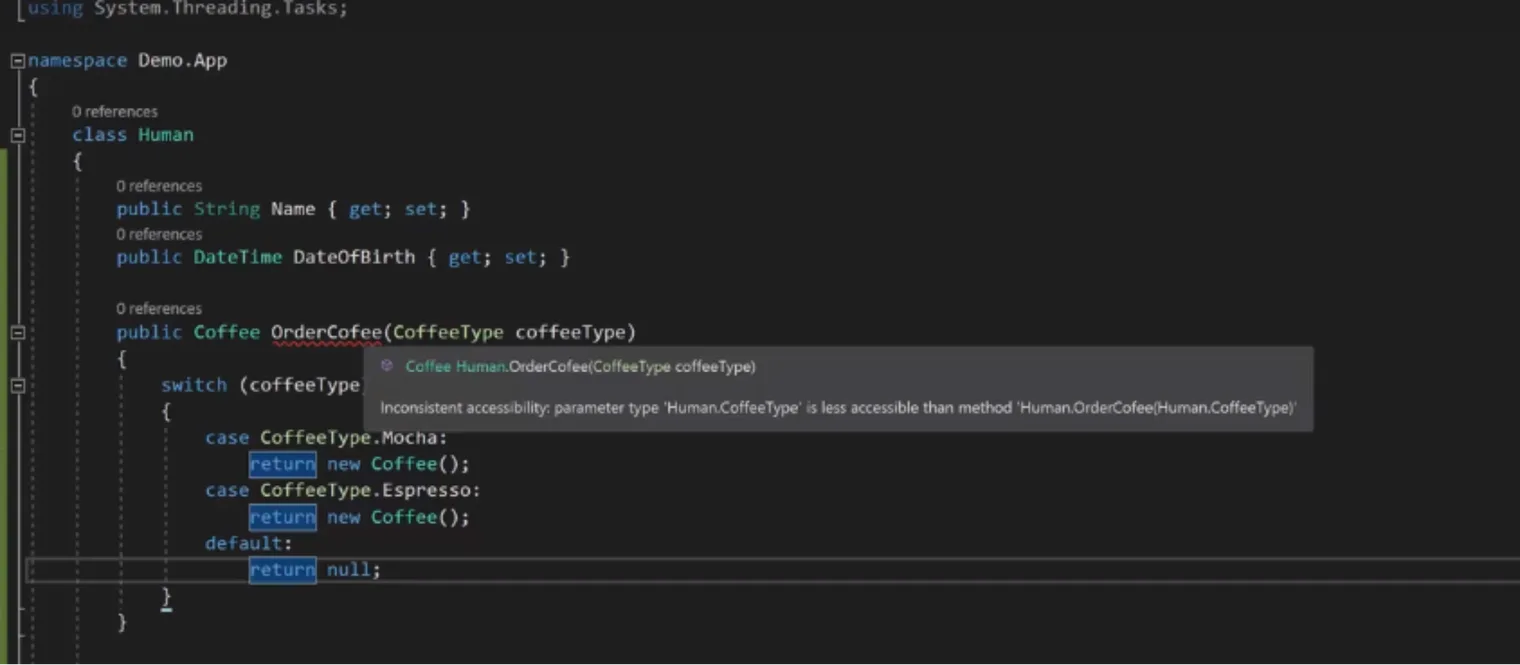
Now if you have followed along, you will notice there is an error. As shown by the red line underneath OrderCofee.
using System.Threading.Tasks;
namespace Demo.App
{
class Human
{
public String Name { get; set; }
public DateTime DateOfBirth { get; set; }
public Coffee OrderCofee(CoffeeType coffeeType)
{
switch (coffeeType)
{
case CoffeeType.Mocha:
return new Coffee();
case CoffeeType.Espresso:
return new Coffee();
default:
return null;
}
}We have an “inconsistent accessibility” error. Your class Human is less public than public Coffee.
namespace Demo.App
{
    public class Human
    {
        public String Name { get; set;
        public DateTime DateOfBirt
If your method is public, public Coffee, that means it’s accessible from outside of this class.
As you can see here, a class is a concept of an object that we would like to represent in our program. It can be anything - a concept of a car, airplane, soccer field or anything around you that has properties or features can be represented in a class.
An apple is a class. It has a color, size, weight and price for instance.
In our example here, your class may as well be public, meaning it can be accessed from outside of this class. In this case, your class, class Human, isn’t public, making your method public(public Coffee) and your class not public(class Human), causing this error.
namespace Demo.App
{
    public class Human
    {
        public String Name { get; set; }
        public DateTime DateOfBirth { get; set; }

        public Coffee OrderCofee(CoffeeType coffeeType)
        {
            switch (coffeeType)
            {
                case CoffeeType.Mocha:
                    return new Coffee();
                case CoffeeType.Espresso:
                    return new Coffee();
                default:
                    return null;
            }
        }

        public enum CoffeeType
        {
            Mocha,
            Espresso
        }
    }
}
public enum CoffeeType
{
Mocha,
EspressoThe same thing applies to the enum type.
Go ahead and put public before each of your classes and methods.
Now everything should be good. It’s public across the board.
So we have coffee, we have coffee types, and we have a person that will go and order coffee.
The question now is - order coffee from who? There has to be somebody there that will take that coffee order and process it.
using System;
using System.Collections.Generic;
using System.Linq;
using System.Text;
using System.Threading.Tasks;
namespace Demo.App
{
class CoffeeShop
{
}
}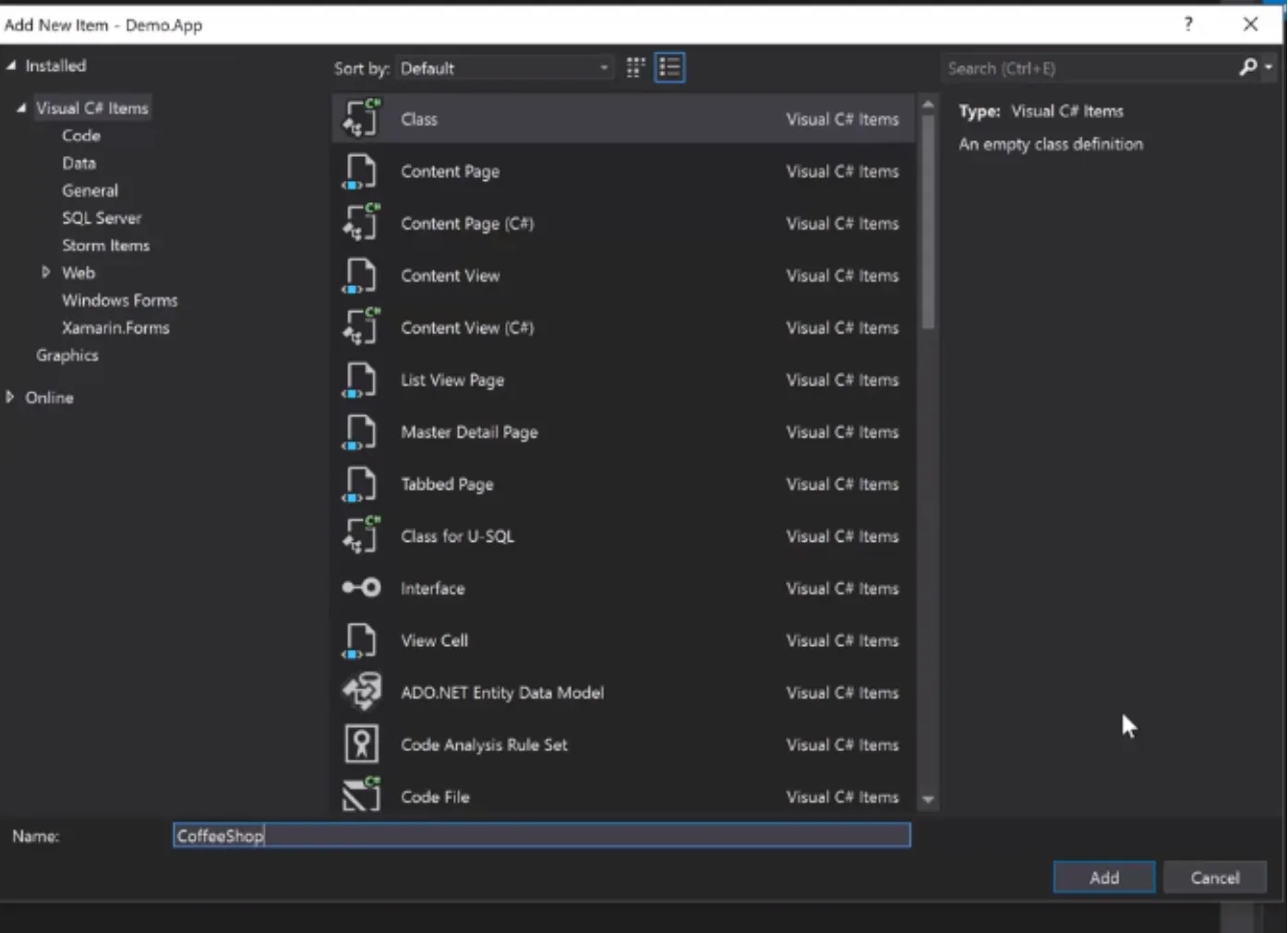
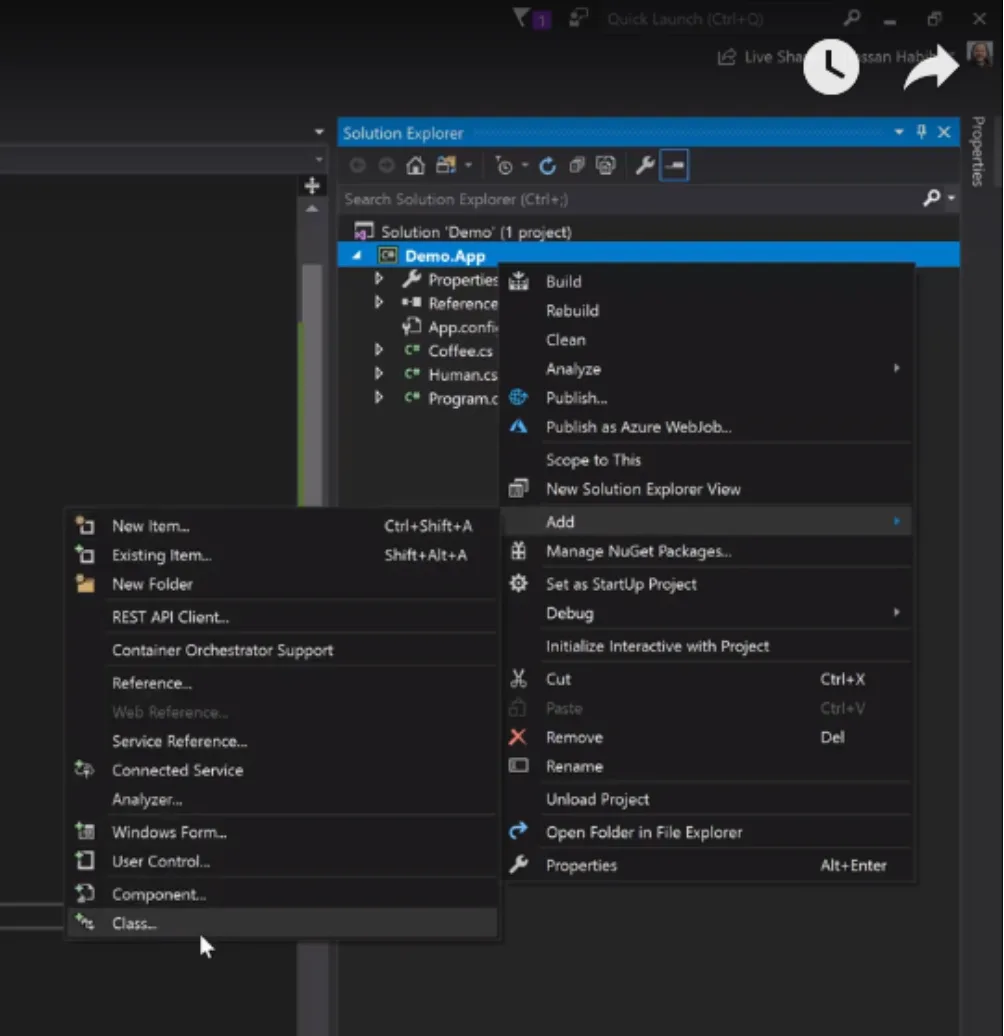
Let’s go ahead and build another class called “Coffeeshop”.
The coffee shop will have a function that takes in that coffee object that someone will order, and start making that coffee.
Since our coffee order is already created, this method doesn’t need to return anything.
All the changes will happen on the coffee object already created, we will not need to do anything other than applying the making of coffee on that existing object.
namespace Demo.App
{
class CoffeeShop
{
public void MakeCoffee(Coffee coffee)
{
return;
}
}
}So we represent nothing with the type void, meaning there’s nothing expected to be returned, just apply some changes on the coffee object.
Now that we have our coffee shop set up, let’s return to our human class.
namespace Demo.App
{
public class Human
{
public String Name { get; set; }
public DateTime DateOfBirth { get; set; }
public Coffee OrderCofee(CoffeeType coffeeType)
{
switch (coffeeType)
{
case CoffeeType.Mocha:
return new Coffee();
case CoffeeType.Espresso:
return new Coffee();
default:
return null;
}
}
public void Drink(Coffee coffee)
{
}
        public enum CoffeeType
        {
            Mocha,
            Espresso
}
}
}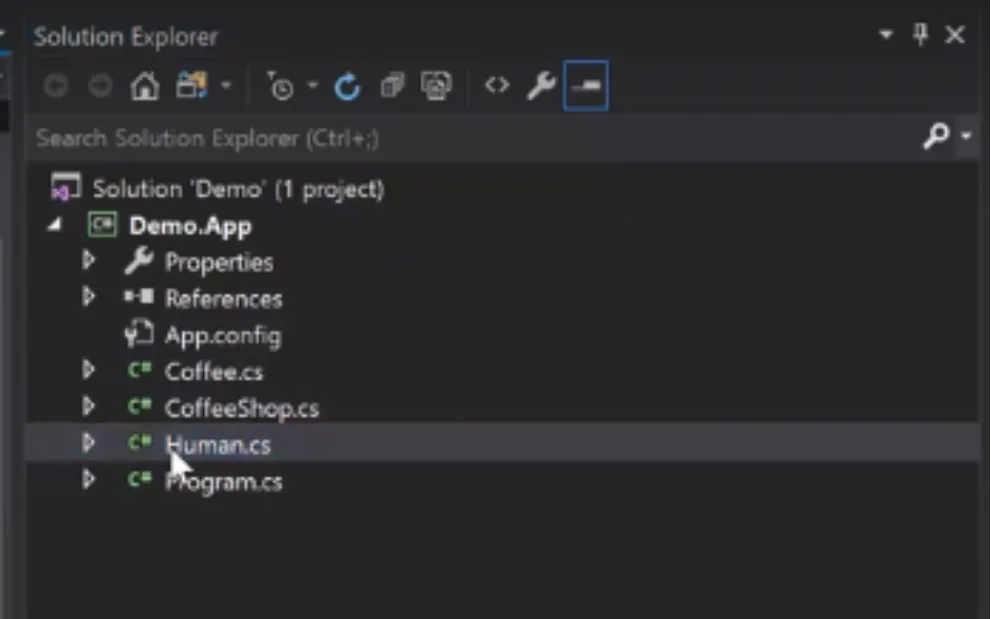
Now our human can also do something else in our coffee shop. He can drink the coffee.
public void Drink(Coffee coffee)
{
return;
}
And once again, it doesn’t matter what it returns, because once we drink coffee we don’t have to go any further in our coffee ordering/drinking process, so nothing needs to be returned.
            return null;
    }
}

public void Drink(Coffee coffee)
{
    return;
}
return null;
}
}
public void Drink(Coffee coffee)
{
}using System.Globalization;
using System.Linq;
using System.Reflection;
using System.Text;
using System.Threading;
using System.Threading.Tasks;
namespace Demo.App
{
class Program
{
static void Main(string[] args)
{
}
}
}How do we visualize that scenario, a human ordering coffee in real life? Let’s build a new human. Back to program.cs.
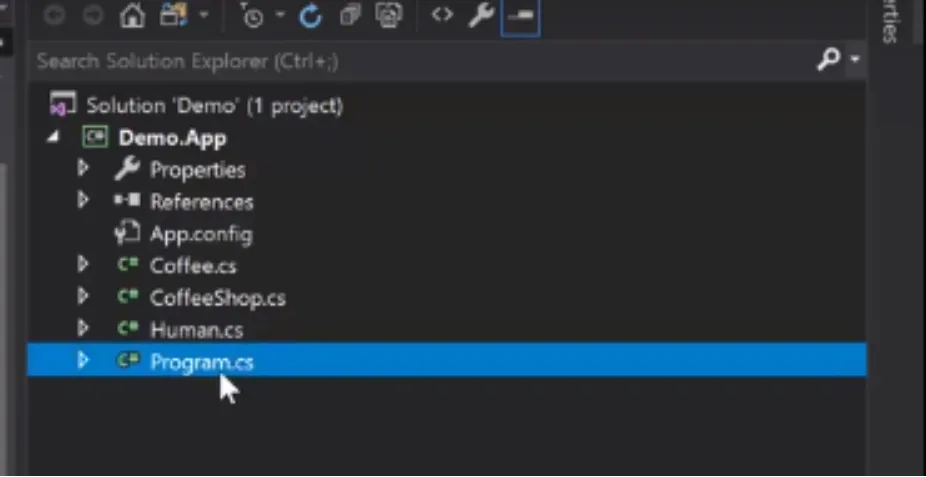
I’m going to put in a new human, say Hassan. And Hassan equals new human. And this human has a name and a date of birth.
namespace Demo.App
{
    class Program
    {
        static void Main(string[] args)
        {
            Human hassan = new Human();
            hassan.Name = "Hassan";
            hassan.DateOfBirth = new DateTime();

            Coffee coffee = hassan.OrderCofee(Human.CoffeeType.Espresso);
        }
    }
}
Human hassan = new Human();
hassan.Name = "Hassan";
hassan.DateOfBirth = new DateTime();Now we want this guy to order a coffee. Let’s type a line that says, “ The coffee that I want is what Hassan is ordering. And Hassan is ordering an espresso.”
And just like all the variables we talked about before, you will notice for this class Coffee, we define the type in the upper case fashion, and define the variable in the lower case fashion.
Variable names can be anything, we can say: Coffee cupOfCoffee; this will still be correct, but class names has to be exactly what we have previously defined.
Coffee coffee = hassan.OrderCofee(Human.CoffeeType.Espresso);
namespace Demo.App
{
class Program
{
static void Main(string[] args)
{
Human hassan = new Human();
hassan.Name = "Hassan";
hassan.DateOfBirth = new DateTime();
Coffee coffee = hassan.OrderCofee(Human.CoffeeType.Espresso);
}
}
}The next thing we want here is a place where this coffee is being made, like a coffee shop.
The coffee shop will take that order, and make the coffee for us:
CoffeeShop shop = new CoffeeShop();
shop.MakeCoffee(coffee);
static void Main(string[] args)
{
Human hassan = new Human();
hassan.Name = "Hassan";
hassan.DateOfBirth = new DateTime();
Coffee coffee = hassan.OrderCofee(Human.CoffeeType.Espresso);
CoffeeShop shop = new CoffeeShop();
shop.MakeCoffee(coffee);
}
}
}Once that coffee is made, now it’s time for Hassan to drink that coffee.
Let’s explain this line by line:
- We created a human, in a variable that we called hassan.
- We gave our human Name property a value, that is “Hassan”.
- We assigned a date of birth to hassan’s DateOfBirth property.
- We created a coffee object, by using hassan OrderCoffee function.
- Then we created a coffee shop at the same time we created the Hassan object.
- Then we used the MakeCoffee function in the CoffeeShop variable to make the coffee.
hassan.Drink(coffee); Coffee coffee = hassan.OrderCofee(Human.CoffeeType.Espresso);
CoffeeShop shop = new CoffeeShop();
shop.MakeCoffee(coffee);
hassan.Drink(coffee);
}
}You see what I did there? I visualized a situation where someone - a human whose name is Hassan, is ordering an espresso. And we have a coffee shop that makes the order. The coffee shop will make the coffee and then Hassan will drink that coffee.
For an exercise, try to look at something around you, a problem that you have. Let’s say your room, your instance. You decide you want to organize your room.
How can you visualize all of the elements in your room so you can have the computer find the best way to organize these elements based on the perimeter of your room?
Let’s say your room is x wide by y length. You have a desk and a dresser and the various furniture pieces in your room. You will need dimensions because you will need to input the space of your room.
Then let the computer find out all of the possible ways to organize your room for you. The computer will tell you where to put each item in your room.