§ 5 — C#: From Scratch
For-loops
using System.Linq;
using System.Text;
using System.Threading.Tasks;

namespace Demo.App
{
    class Program
    {
        static void Main(string[] args)
        {

        }
    }
}
Now we are going to talk about iteration in C#. We are going to want to have our program iterate for a number of times, through a list of things, and then print these things out.
The point here is to make things simpler for our program. Instead of us repeating the calculation of something over and over again, we can simplify that by iterating it.
For instance if I asked you to write a program based on what you’ve read so far, and I asked you to write a program to print the numbers from 1-7, you’d go and type:
class Program
{
    static void Main(string[] args)
    {
        Console.WriteLine(1);
        Console.WriteLine(2);
        Console.WriteLine(3);
        Console.WriteLine(4);
        Console.WriteLine(5);
        Console.WriteLine(6);
        Console.WriteLine(7);

        Console.Read();
    }
}Console.WriteLine(1);
Console.WriteLine(2);
Console.WriteLine(3);
Console.WriteLine(4);and so on.
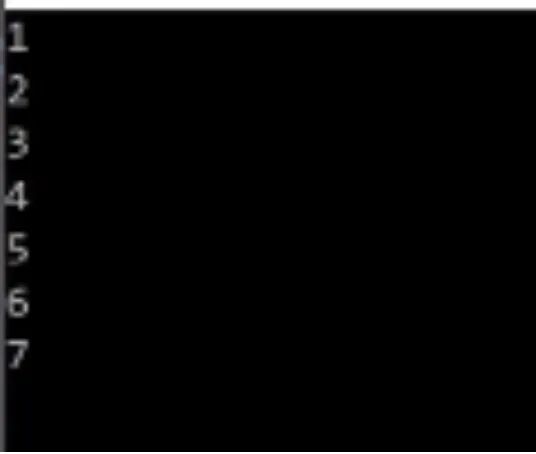
Your program will go and iterate your code, and then it would print all these numbers out on the black monitor.
The beauty of programming though, is that it is always the idea of doing less and accomplishing more.
You want to have tools that will do the heavy lifting for you, so you can focus completely on doing that work that requires a lot of brain power.
For iteration, I’m going to show you three ways you can iterate in programming language(three popular ways anyway). There’s more than three, but the ones that we care about and the ones you will typically see are what we call ‘for-loops.’
    {
        static void Main(string[] args)
        {

            for()

            Console.Read();
        }
    }
}
‘For-loops’ are a way for you to iterate through a list of things or for a certain number of times.
static void Main(string[] args)
{

    for(int i = 0; i <= 10; i++)
    {

    }

    Console.Read();
In a ‘for-loop’ you enter some conditions for the loop to follow.
So let’s enter some conditions for a ‘for-loop’.
Let’s say I want to start with 0, this is my start index(int i =0). And let’s say that my index should stop at 10(i <=10), and finally that my index will accumulate 1 step at a time(i++). (i++ means one step up)
for(int i = 0; i <=10; i++)These are my 3 conditions. My first variable tells me I’m starting from zero. The second one tells me I’m going to continue when the value of this variable is less than or equal to 10. The third tells me to iterate one step at a time.
So it will stop at 10.
As long as it is less than ten, the condition is fulfilled. It will continue to iterate, and then iterate just one step everytime.
class Program
{
    static void Main(string[] args)
    {

        for(int i = 0; i <= 10; i++)
        {
            Console.WriteLine(i);
        }

        Console.Read();
Now let’s type in Console.WriteLine(i); underneath those ‘for-loop’ conditions and print ‘i’, the variable.
Hit the start button and it will print all those numbers for you.
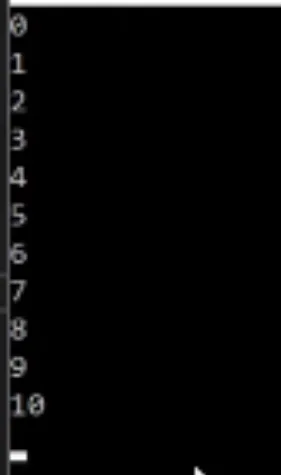
You can go up to any number you want, and it’s still going to work for you.
What you want to explore is to try running a number of mathematical operations with this.
Let me show you how to print the entire times table with this.
If you go and type,
Console.WriteLine($"{i} * 2 = {i * 2}"),
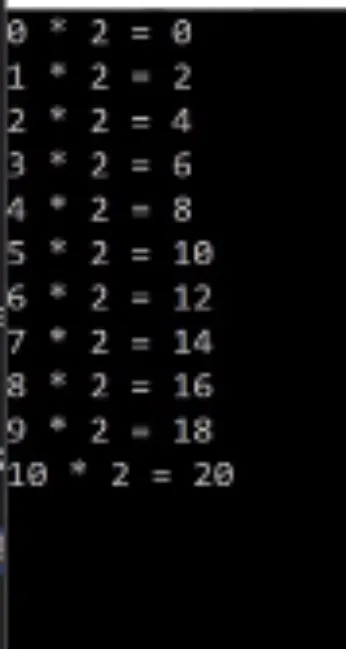
you will get the results of all of the numbers in your ‘for-loop’, multiplied by two.
You may ask, what is this dollar sign in our string?
The dollar sign is a mechanism to tell our program that we want to allow variables to be a part of the string we are building.
for(int i = 0; i <= 10; i++)
{
    Console.WriteLine($"{i} * 2 = {i * 2}" );
}

Console.Read();
Now go and get the hang of this. Try to print all the times table from zero all the way down to ten, multiplied by all numbers from 0 to 10.
Give that a shot. In chapter 6, we discuss other forms of iteration.