§ 7 — C#: From Scratch
Foreach
We have covered three forms of iteration up until this point - ‘for’, ‘while’, and ‘do-while’.
It’s time now to talk about one more form of iteration - ‘foreach’.
‘While’ and ‘do-while’ can be grouped as one iteration kind, then ‘for’ and ‘foreach’ as the other type.
‘Foreach’ functions just as good as ‘for’ loops, but from a performance perspective they are a lot slower. From a readability perspective however, they are a lot easier to read than ‘for’ loops. There are uses for each case.
namespace Demo.App
{
    class Program
    {
        static void Main(string[] args)
        {
            int[] numbers = new int[3] { 1, 2, 3};

            Console.ReadKey();
        }
    }
}
Let’s say you have a list of 3 numbers - 1, 2, and 3.
int [] numbers = new int[3] {1, 2, 3};We are creating an array of numbers, by defining our array in a variable of type int[] this type means that our variable is going to be an array of integers.
But on the right side of the equal sign, we are putting in more specific details about our array, such as the length of the array int[3] we are declaring our array is going to consist of 3 elements, and then we pass in these elements as we define the array {1, 2, 3}.
There are so many ways to add in values to the array such as:
numbers[0] = 1;
numbers[1] = 2;
numbers[2] = 3;
Notice that arrays are zero based, meaning that when we declare an array to have 3 positions, it means we are starting the assignments of these positions by position 0 then 1 and so on.
You want to iterate through this list of 3 numbers.
class Program
{
    static void Main(string[] args)
    {
        int[] numbers = new int[3] { 1, 2, 3};

        foreach(int number in numbers)
        {
            Console.WriteLine(number);
        }

        Console.ReadKey();
    }
}
What we’re going to type in will be telling the program:
“For each number you come across in your array of numbers, print out each number”
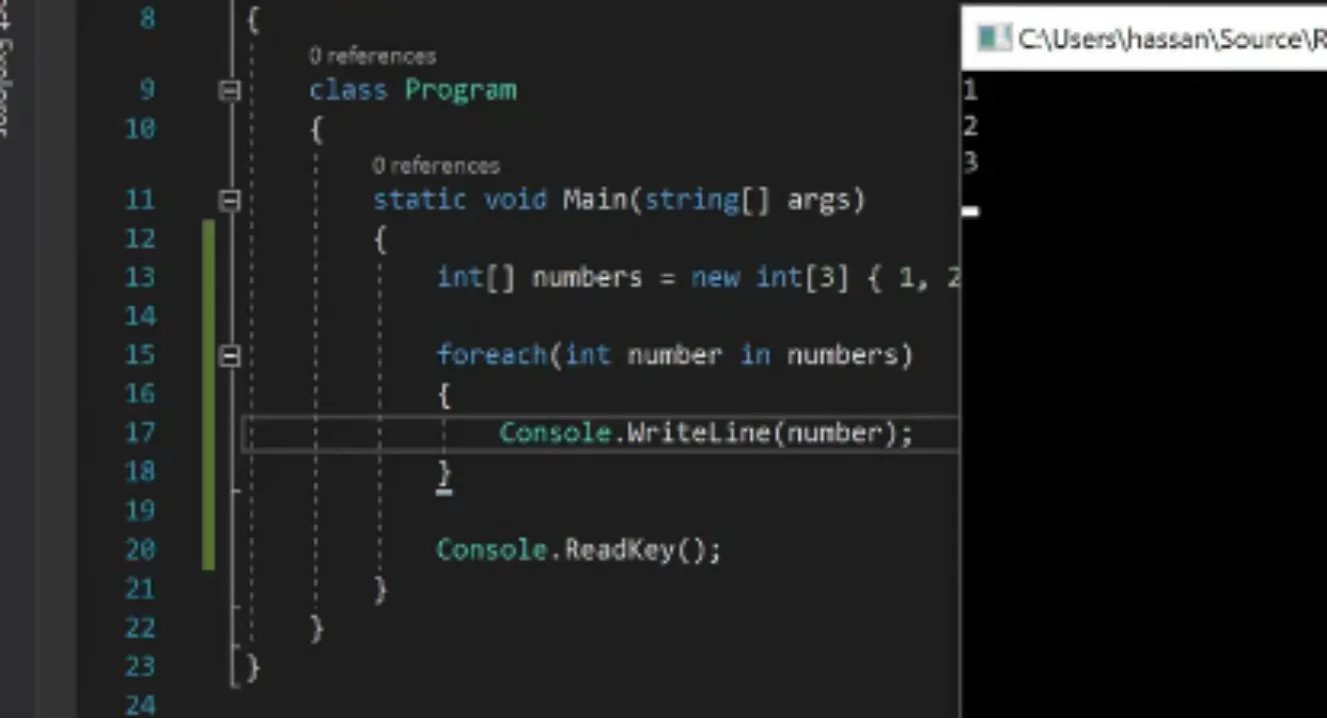
foreach(int number in numbers)We defined an array through int [] numbers = new int[3] {1, 2, 3};. So it will print 1, 2, and 3.
‘Foreach’ is nice and easy to read.
{
    class Program
    {
        static void Main(string[] args)
        {
            int[] numbers = new int[3] { 1, 2

            foreach(int number in numbers)
            {
                Console.WriteLine(number);
            }

            Console.ReadKey();
        }
    }
}
‘Foreach’ works like this: “Foreach number you come across in this list, execute this specific action.”
In this case, ‘foreach’ number you come across, print it out. It will come across 1 and print it out. Then 2, then 3.
But again, ‘foreach’ will affect your performance.
With ‘for’ loops you get a much better performance. If you don’t care about performance, due ‘foreach’ every single time, because they are a lot easier to read and understand.
namespace Demo.App
{
    class Program
    {
        static void Main(string[] args)
        {
            int[] numbers = new int[3] { 1, 2, 3 };

            foreach (int number in numbers)
            {
                Console.WriteLine(number);
            }

            for (int i = 0; i < numbers.Length; i++)
            {
                Console.WriteLine(numbers[i]);
            }

            Console.ReadKey();
        }
    }
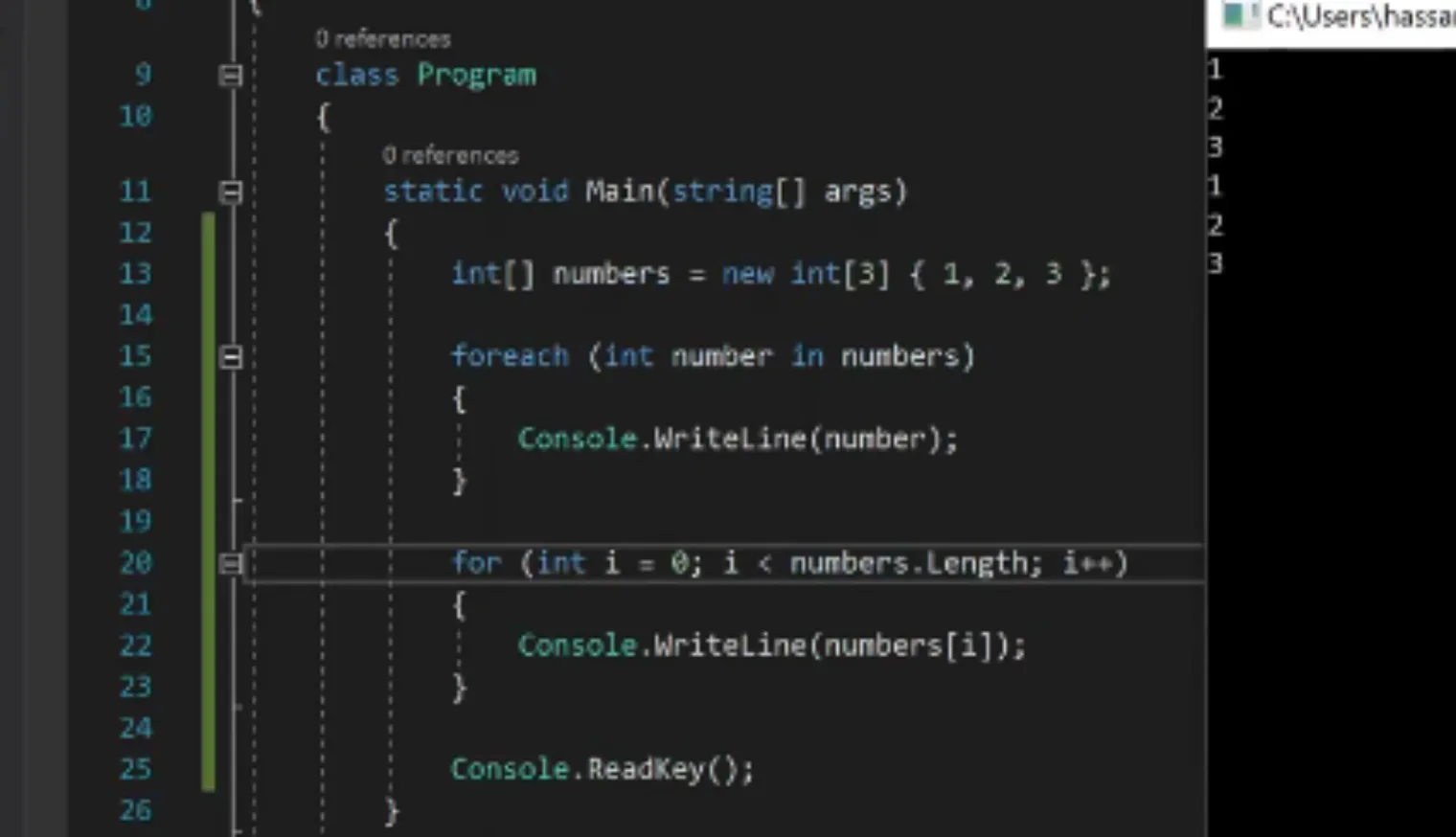
Compare the ‘foreach’ code to the ‘for’ code, and you can see the difference in readability.
‘foreach’ is much easier to look at.
With ‘for’ loops, you have to set a start point, you have to set a parameter for you ‘i’ to stay within, and you have to put in your accumulation value of your ‘i’ for every iteration.
Represented as…
for (int i = 0; i < numbers.Length; i++)Now if I run my code it will print each list.
    {
        static void Main(string[] args)
        {
            int[] numbers = new int[3] { 1, 2, 3};

            foreach(int number in numbers)
            {
                Console.WriteLine(number);
            }

            for (int i =0; i<= numbers.Length; i++)
            {
                Console.WriteLine(numbers[i]);
            }

            Console.ReadKey();
        }
    }
}
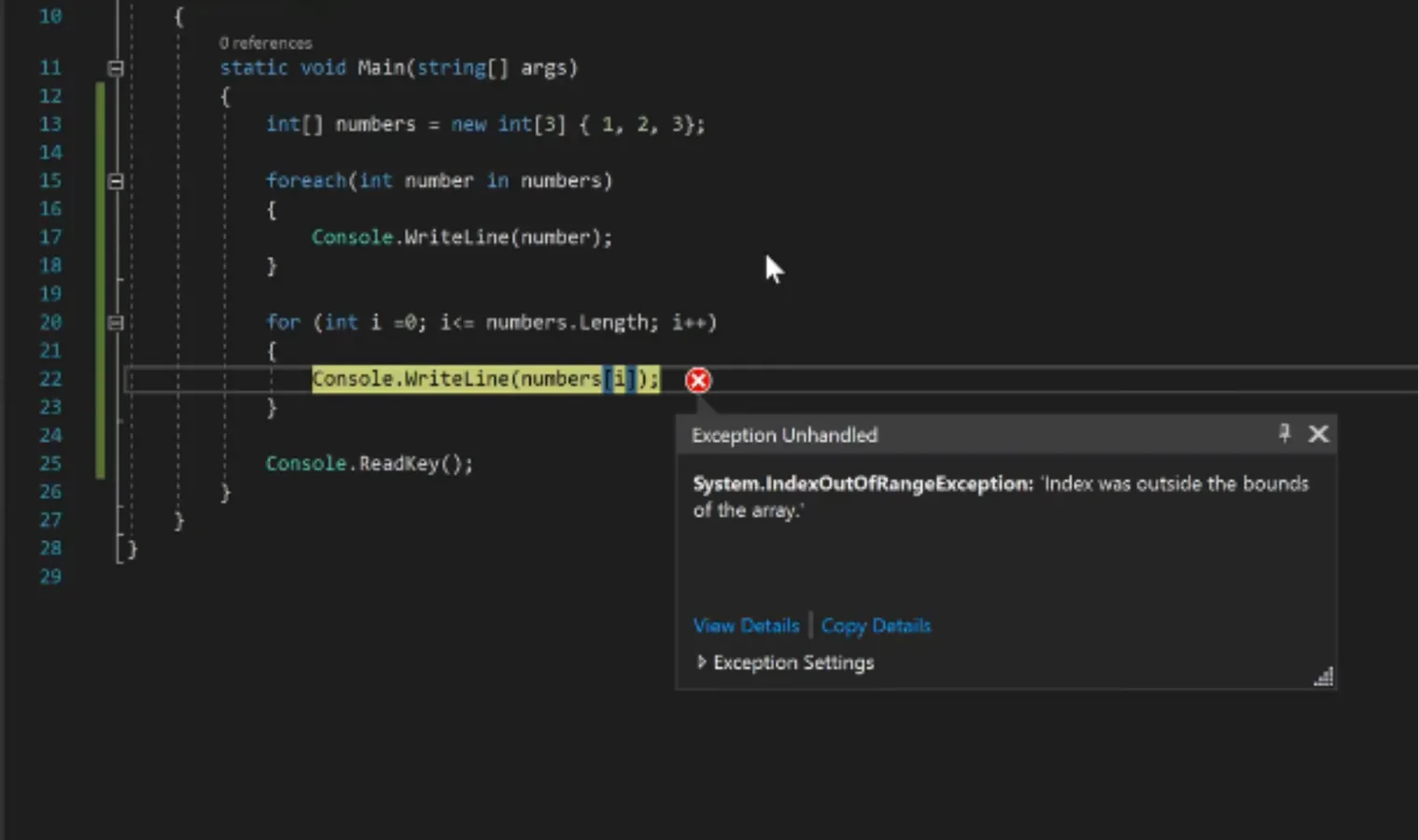
…Or it would have if there wasn’t an error in the ‘for’ loop.
The ‘i’ parameter is set as
i <= numbers.LengthRemember how we said earlier that arrays are zero-based. Based on the condition above, i <= numbers.length, we are basically saying that the loop will iterate for as long as the length of this array. It will iterate as long as ‘i’ is less than or equal the length of the array.
Now in an array of 3 positions, you will notice that ‘i’ cannot go beyond position 2, since are starting at position 0 then 1 then 2, putting ‘i’ in a position 3 will cause an error, because that position doesn’t exist.
So telling our loop to continue running until reaching the length of the array (3) means that i will be equivalent to the value of 3 which puts our program out of bound of the available positions in that array.
‘Foreach’ will take away this possibility that you have to backtrack and fix the code in your ‘for’ loop. With ‘foreach’, it is just going to tell us what is there(‘foreach’ this, do that). That’s it. It is much better from a readability standpoint.
With ‘foreach’, you don’t have to set your values. You don’t have to set how many items are on the list, and you don’t have to set how many times to iterate.
It doesn’t have all those details - ‘foreach’ is just one straight, simple couple lines of code that tells you exactly what you need to do.
That’s it for ‘foreach’.
Try to play around with lists, try to play around with different kinds of arrays and see how ‘for’ versus ‘foreach’ can perform.
class Program
{
    static void Main(string[] args)
    {
        int[] numbers = new int[3] { 1, 2, 3 };

        foreach (int number in numbers)
        {
            Console.WriteLine(number);
        }

        for (int i = 0; i < numbers.Length; i++)
        {
            Console.WriteLine(numbers[i]);
        }

        Console.ReadKey();
    }