§ 2 — C#: From Scratch
Variables
Now we are going to talk about variables and programming. Variables are basically spaces in memory that we use to store certain values. Think of programming as a way to simulate something in the real world. Don’t think about the code you’re looking at. Think about what problem you are trying to solve, and then use that code to solve that problem in the real world.
using System.Linq;
using System.Text;
using System.Threading.Tasks;

namespace Demo.App
{
    class Program
    {
        static void Main(string[] args)
        {
            int itemOnePrice = 10;
            int itemTwoPrice = 20;

            Console.WriteLine("Hello, World!");
            Console.ReadKey();
        }
    }
}
For instance, if I want to run a program that calculates the prices of a bunch of items that I have, I can go and say:
int itemOnePrice = 10;
int itemTwoPrice = 20;
And so on. If I want to calculate that value, I could store all these values in another variable - let’s call it total price. And then I can add itemOnePrice + itemTwoPrice and then print that out as:
Console.WriteLine(totalPrice);namespace Demo.App
{
class Program
{
static void Main(string[] args)
{
int itemOnePrice = 10;
int itemTwoPrice = 20;
int totalPrice = itemOnePrice + itemTwoPrice;
Console.WriteLine(totalPrice);
Console.ReadKey();
}
}
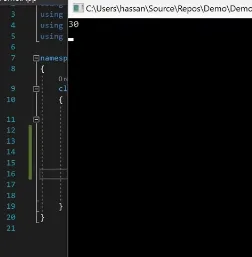
}Now when I run my program it will print out that total value of both of these prices. 10 + 20 = 30
Programming is basically the art of describing computer behaviors to solve a problem. When you’re trying to solve problems you’re going to run into the situation where you need to save some values in places so you can manipulate that data.
These values could come in different types. There are primitive types such as integers, strings, bytes, and unassigned integers. And then there are complex types that are made out of these types.
If I want to store a name for instance - I could store a name in a string value. (name = “Hassan”)
namespace Demo.App
{
    class Program
    {
        static void Main(string[] args)
        {
            int itemOnePrice = 10;
            int itemTwoPrice = 20;

            string name = "Hassan";

            int totalPrice = itemOnePrice + itemTwoPrice;
            Console.WriteLine(totalPrice);
            Console.ReadKey();
        }
    }
}
Notice something different in here. When I store a string I use double quotes but when I stored numeric values I didn’t have to use anything.
int itemOnePrice = 10;
int itemTwoPrice = 20;

string name = "Hassan";

int totalPrice = itemOnePrice + itemTwoPri
Console.WriteLine(totalPrice
Console.ReadKey();
That’s because strings, structurally, are fundamentally different than integers.
Programming is all about knowing how to describe the things that matter the most in the problem that you’re trying to solve, and then visualizing that to your end user.
Don’t get caught too much in mind teasing and trying to solve unrealistic problems. Try to find a problem in real life, and resemble it.
Example - Let’s say I have a bottle of Pepsi, and I want to determine whether I can buy this bottle or not based on some ingredients in this bottle. So when I look at it, I see the values of protein, sodium, and total fat. All of these properties are integer values that I can contain in what I call complex type.
So I want to resemble this. Let’s go in and create a complex type.
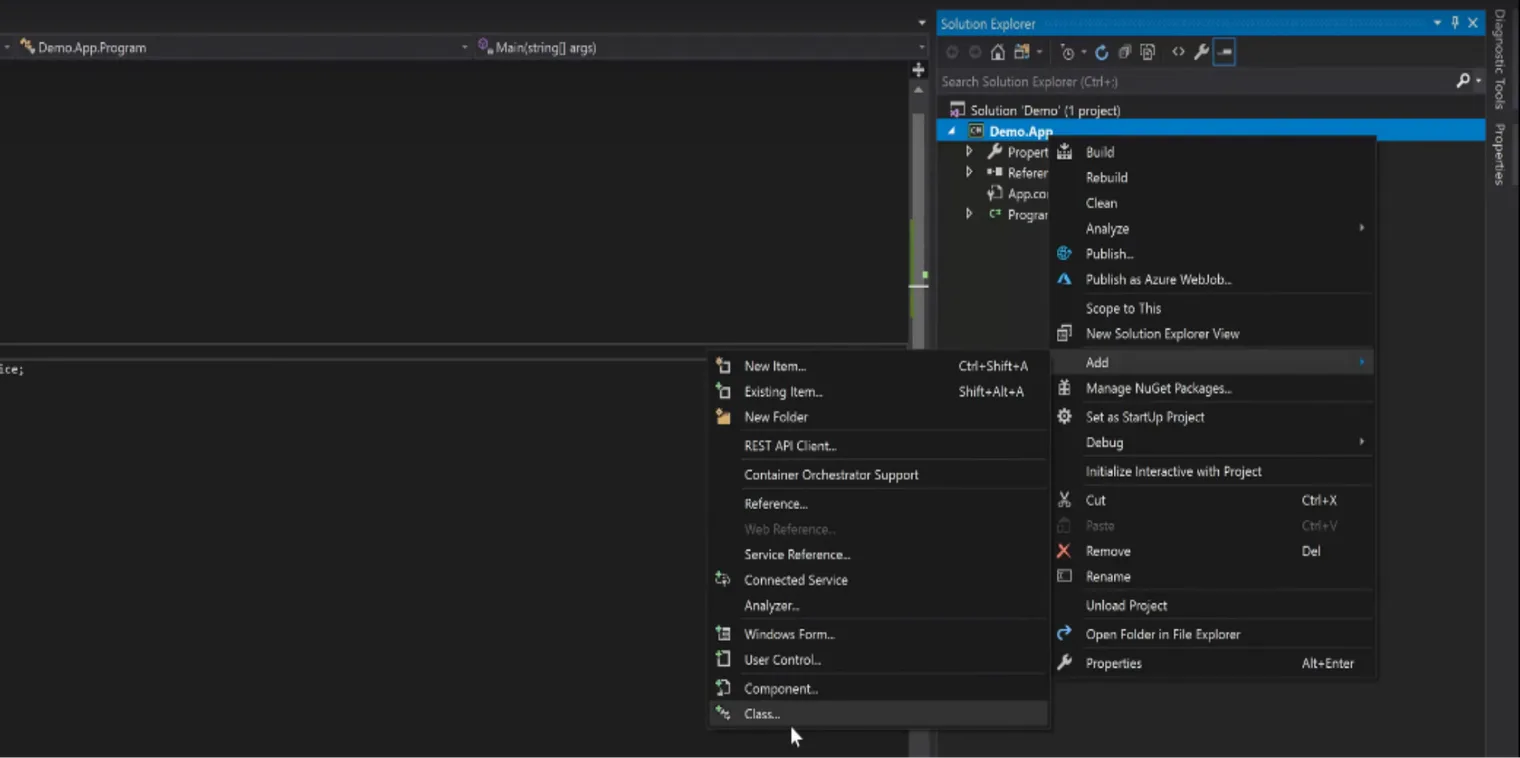
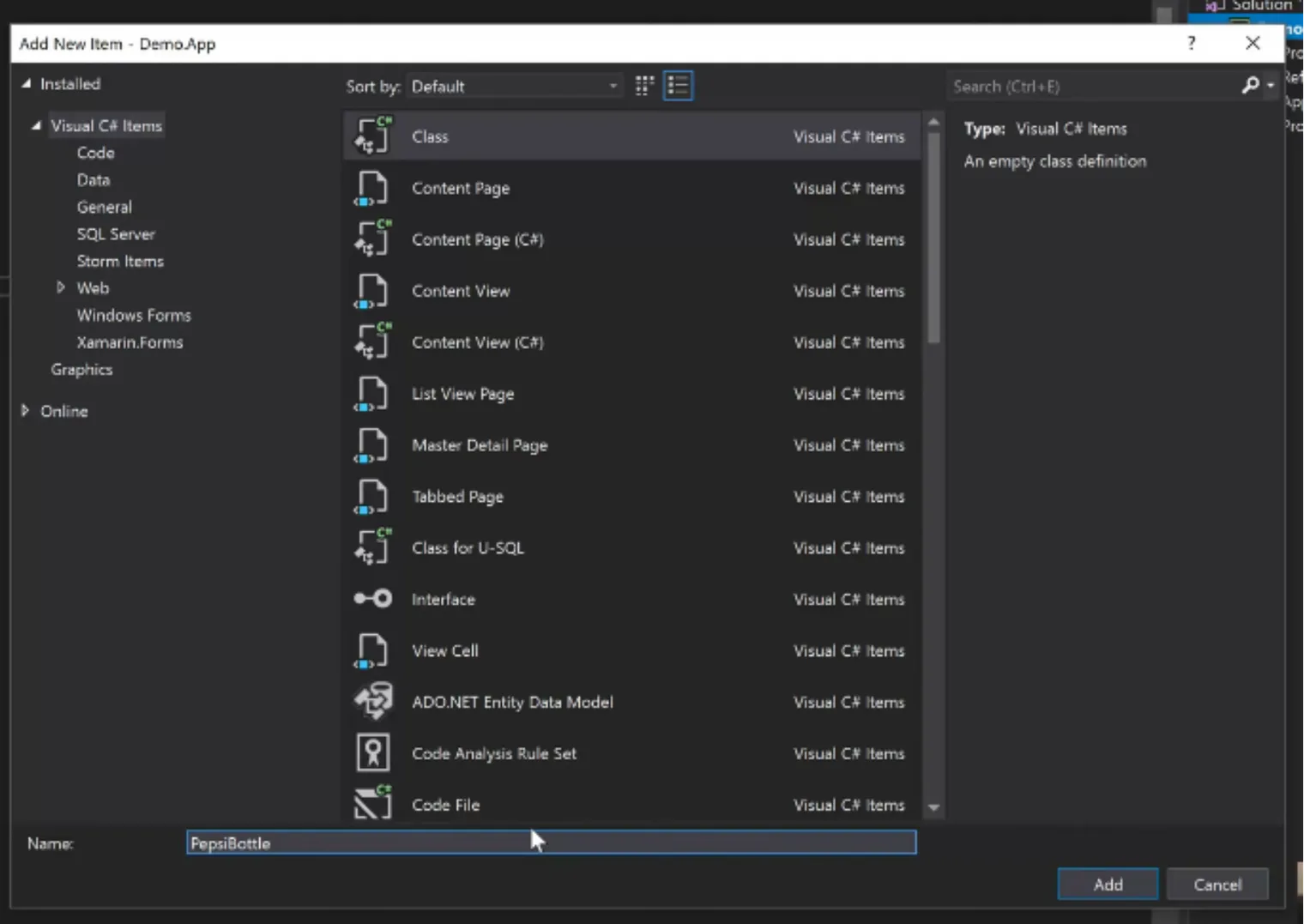
Let’s call it PepsiBottle. And now this PepsiBottle can have a bunch of things in it.
I could go and say how much sodium is in this, how much sugar is in this, how much fat, etc. You can add these values to determine whether you resemble that or not.
The get; set; in the code below describes two functions, the first is the get which means the property on that class can be retrieved and read.
The second is the set, which means the property on this class can be assigned a value as we are going to show in the next few pages.
using System.Text;
using System.Threading.Tasks;

namespace Demo.App
{
    class PepsiBottle
    {
        public int Sodium { get; set; }
        public int Sugar { get; set; }
        public int Fat { get; set; }

    }
}
If I want to use those values in my method, I could go and set values in this complex type variable.
pepsiBottle.Fat = 0;
pepsiBottle.Sodium = 10;
pepsiBottle.Sugar = 20;
using System.Linq;
using System.Text;
using System.Threading.Tasks;
namespace Demo.App
{
class Program
{
static void Main(string[] args)
{
int itemOnePrice = 10;
int itemTwoPrice = 20;
string name = "Hassan";
PepsiBottle pepsiBottle = new PepsiBottle();
pepsiBottle.Fat = 0;
pepsiBottle.Sodium = 10;
pepsiBottle.Sugar = 20;
int totalPrice = itemOnePrice + itemTwoPrice;
Console.WriteLine(totalPrice);
Console.ReadKey();
}
}
}So now you get to resemble your pepsi.
That’s all I want you to learn in this chapter - How to look at things in the real world and how to resemble them.
Learn to use these primitive variables as part of these complex variables.
For your homework, go find out all of the different primitive data types that you can use for instance: booleans, characters, unassigned integers and many others, then try to resemble a real problem in your life.
Try to resemble a computer mouse for instance - what can you look at in a computer mouse that you can resemble in a class?